How to take Vinted photos that sell: the guide
On Vinted, the buyer cannot touch the garment, try it on or talk to you: your photos are all they see. A well-photographed listing sells within days at the asking price; the same piece shot with a flash on a sofa sits for weeks and ends up discounted. This guide gives the complete method with a phone and ten minutes per item: light, background, preparing the garment, photo order, and where a worn photo fits.
1. Light: next to a window, never with flash
Light is 80 % of the result. Stand one or two metres from a window, in daytime, out of direct sun, which creates hard shadows and burns colours. Turn the flash off: it flattens fabrics, makes them shine and shifts colours. If the room is dark, move closer to the window rather than switching on a ceiling light, whose yellow cast distorts a white or a navy.
A simple check: if you can see your own sharp shadow on the garment, move. If the colours on screen match what you see with your eyes, you are good.
2. Background: plain, quiet, contrasting
The background does not have to be white; it has to be plain and stand apart from the garment. A light wall, a well-stretched sheet, a wooden or plain tiled floor all work. For a white or cream piece use grey, beige or wood; for a dark piece, something light. Avoid anything that pulls the eye away: duvet patterns, objects, cables, pets. Keep the same background for every listing: your profile becomes readable and trustworthy.
3. The garment: pressed, shaped, complete
A creased garment looks worn even when it is new. A quick iron or steamer, buttons done up, zip closed, collar flat, sleeves laid out symmetrically. Flat, smooth the fabric with your hand from the centre outwards. On a hanger, pick a thin hanger and hook it on a door or a bare wall, never on the rail of a full wardrobe.
Keep the whole item in the frame, without cutting the hem of trousers or the end of the sleeves. Hold the phone straight above for a flat-lay, straight on for a hanger, and shoot in portrait: that is how Vinted displays photos.
4. Flat, on a hanger or worn: each has a job
Flat-lay
The reference photo: it shows the real item, its proportions and its condition. It must open the listing.
On a hanger
Handy for dresses, shirts and jackets: the drape shows, the garment does not crease. Weaker for trousers and heavy knits, which stretch.
Worn
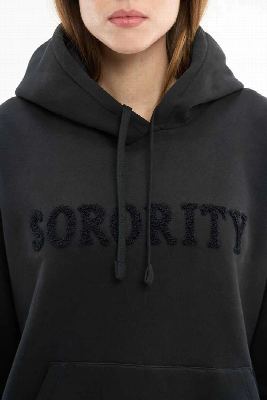
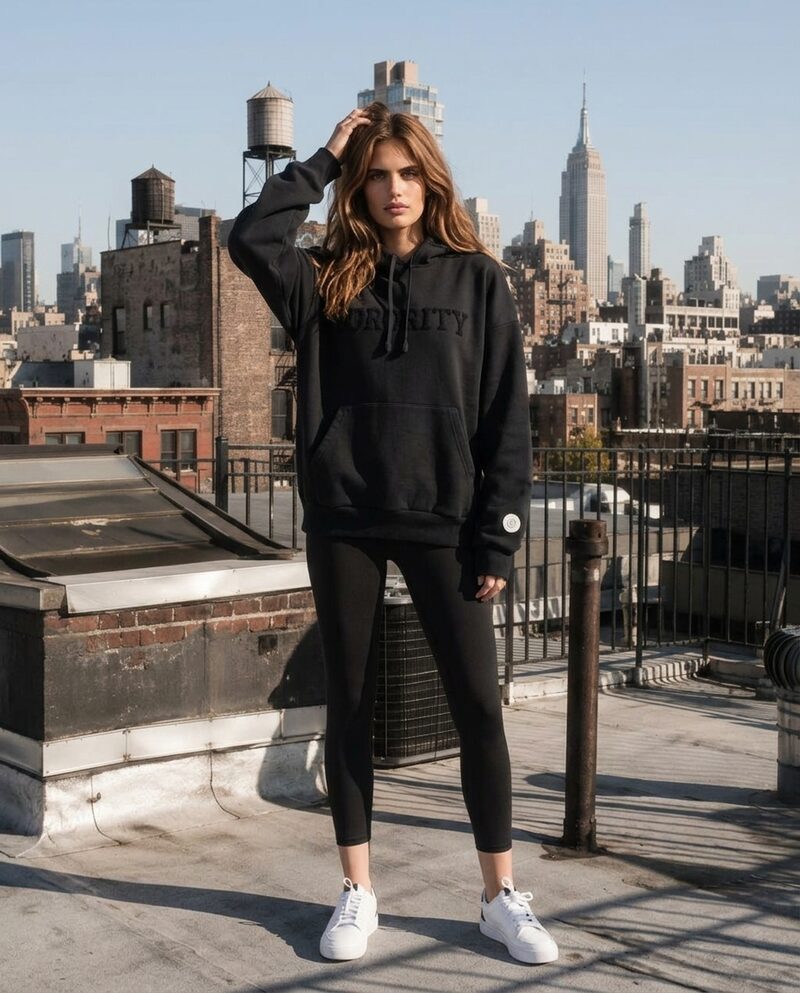
The photo that answers the one question everyone has: "what does it look like on someone?" Length, volume, high or low waist, how the fabric falls. Listings that show the garment worn get fewer size questions and fewer returns. If you have nobody to model, a visual worn by an AI model does that job from your flat-lay photo, in two minutes.
5. Photo order: the sequence that reassures
- The whole item, flat or on a hanger, your real photo. Always first: it is the thumbnail in the feed, and it is what Vinted expects.
- The item worn, if you have a photo or a generated visual. The buyer pictures themselves in it.
- The back, forgotten half the time.
- The label: size, brand, fabric. It saves three messages.
- Details: buttons, print, texture, finishing.
- Flaws, close up and honestly. A pill you show does not scare buyers; a pill discovered on delivery means a dispute and a bad review.
Vinted allows up to twenty photos. Five to eight well-chosen ones are enough; beyond that, nobody looks.
6. The mistakes that make buyers leave
- The mirror selfie, phone and bathroom included.
- The garment bunched up on an unmade bed.
- The brand's website photo instead of yours: the buyer does not know what they are buying, and Vinted may hide the listing.
- Filters and colour edits: the red turns orange on delivery, and the sale ends in a return.
- A single photo. A one-photo listing reads as rushed or suspicious.
7. The ten-minute routine per item
- Press and prepare three to five pieces at once, by the same window, on the same background.
- For each piece: whole item flat, back, label, two details, any flaws. Six photos, two minutes.
- Add the worn photo: upload the flat-lay to Studio Mode, pick a model and a setting, download the visual. Keep the same model across all your listings.
- Publish in the order above, with a title that states brand, type of piece, size and colour.
Frequently asked questions
- How many photos should a Vinted listing have?
- At least five: the whole item, the worn view if possible, the back, the label, details and flaws. Vinted allows up to twenty; past eight, buyers stop looking.
- Do I need a white background?
- No: a plain, quiet background that contrasts with the garment. White for a dark piece; grey, beige or wood for a light one.
- Does a worn photo sell better than a flat-lay?
- It completes the flat-lay: one shows the real item and its condition, the other the fit and drape. Together they make the best listing.
- Can I use an AI-generated worn photo on Vinted?
- Vinted’s catalogue rules do not mention AI. They ask for photos taken by you that show the item as it is, with no editing, and a first photo that clearly shows the whole item; for the additional photos, Vinted leaves you free to showcase the item. A worn visual is a generated image: the rules do not settle its case, and Vinted can hide a listing whose photos do not match the item. So keep your real photos first, use the worn visual as photo 2 or 3, check that it is faithful to the piece, and if the listing form offers to flag AI-generated images, do it. Rules checked on 13 November 2026.
Further reading: how an AI fashion model for clothing works, and all guides.